Today’s Technologies (Computers)

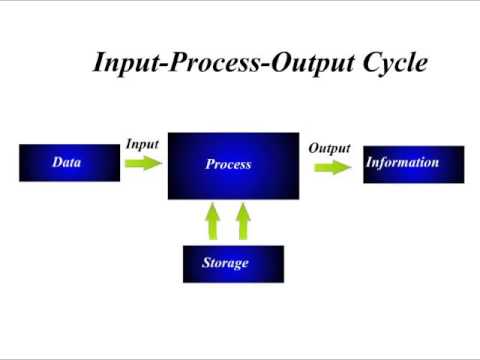
A computer is an electronic device that accept data(input), (process) the data according to specified rules, and produces the information (output) and stores those information for futures use. A computer can be a desktop, a laptop, tablets etc.

Desktops

A desktop computer is a personal computer designed in a fixed location. There are two types of desktop computers. The first type is a desktop where display (monitor) is separated from the system unit. The other type is all-in-one where the display and the system unit is placed in one case.
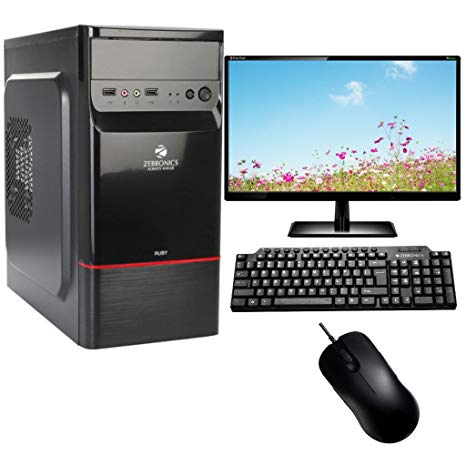
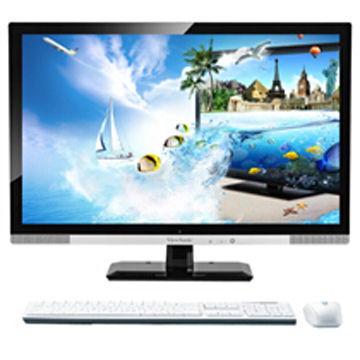
Note: The standard height of a desktop from the ground is between 28 inches to 30 inches. Also choose a chair with good ergonomics.

Laptops

A laptop or a notebook computer is a lightweight mobile computer with a screen in its lid, and a keyboard in its base. It is a portable computer which is efficient but not as powerful as desktop computers. Some laptops are also referred sa ultrabooks. In addition, most laptops consumes less energy compared to their desktop counterparts. In intel processor, you will see a letter “u” which stands for “ultra-low-power” model. As of 2019 here’s a list of the best laptop.
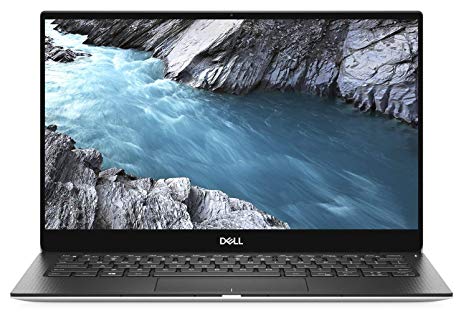
Dell XPS 13

CPU: 8th generation Intel Core i5 – i7 | Graphics: Intel UHD Graphics 620 | RAM: 8GB – 16GB | Screen: 13.3-inch FHD (1,920 x 1,080) – 4k (3840 x 2160) | Storage: 256GB – 1TB SSD

Tablets

A tablet computer aka “tablet” is a mobile computing device designed to held by one or two hands. It is smaller than a laptop but larger than a phone. A tablet can be used browse the internet, connect to social networks, and display HD videos. It is mobile device that has a mobile operating system and uses touchscreen as primary input device.
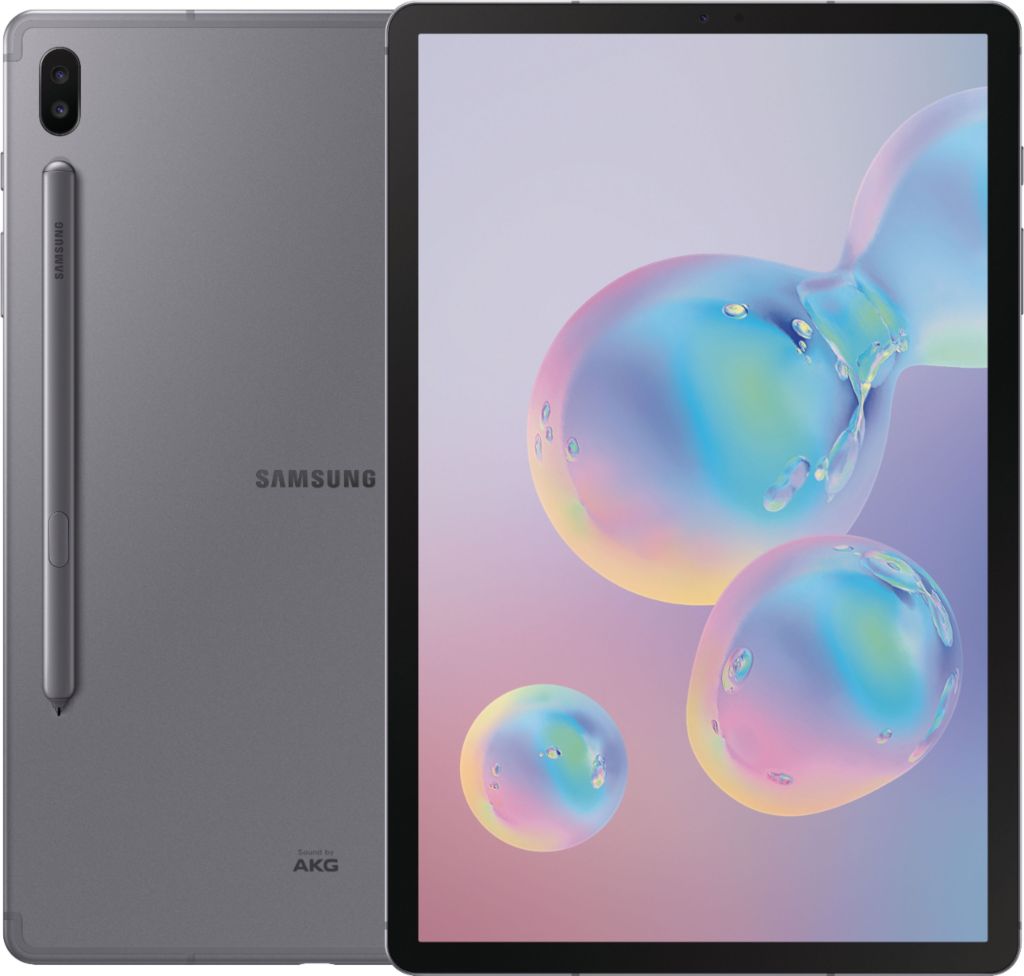
Samsung Galaxy Tab S6

Here are the features of Samsung Galaxy Tab S6.

Touchscreen Gestures
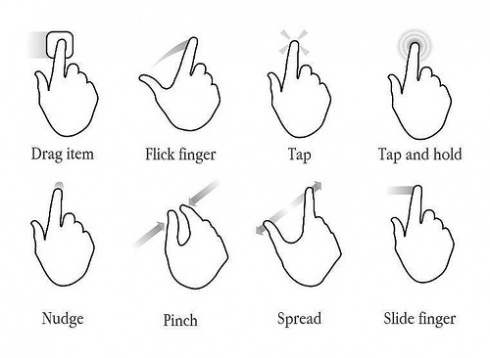
For detailed explanation of each gesture, kindly visit touchscreen gestures.

Smartphones

A smartphone is a cell phone that can do more than make phone calls and send text messages. It is also an internet-capable phone that includes an address book, a calendar, calculator, notepad, games, and other several apps. Smartphones communicate wirelessly and uses touchscreen as input.
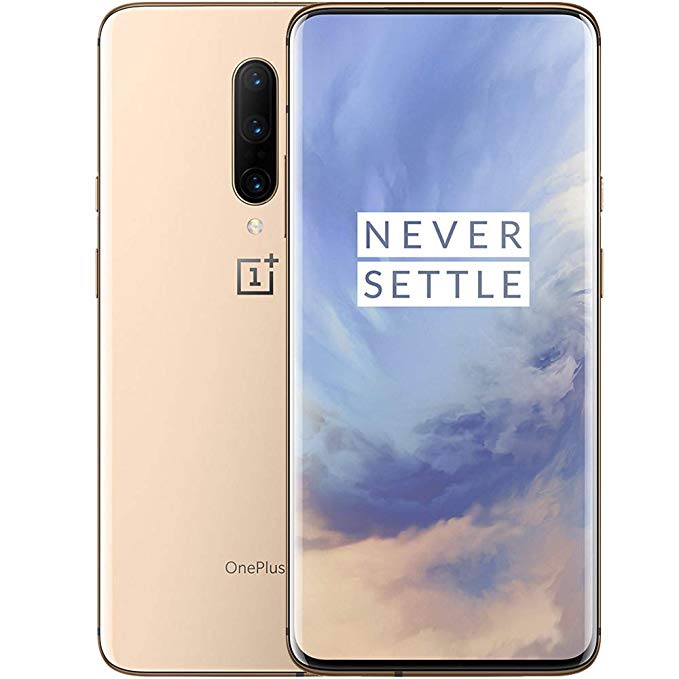
Oneplus 7 pro

For detailed explanation of each gesture, kindly visit smartphone features.

Tip: Choose the computer the suits your needs. For professional work or gaming, choose desktop since it is designed for performance and you have a better upgrade options. If you need computer with good performance and you keep on travelling, consider buying a laptop for mobility. For educational and communication purposes, choose a tablet.

Kindly visit Duyor Review and Tutorial Center. Thank you!
Introduction to Computers

Learning Objectives

  • Define a computer
  • Describe the Information Processing Cycle
  • List the different computer components
  • Discuss some advantages and disadvantages of using computers
  • Differentiate hardware and software
  • Enumerate the different categories of computers

What is a Computer?

A computer is an electronic device that stores, processes, and retrieves data. Below is a link that helps us differentiate an electronic and electrical device. One example of a computer is a smartphone. You use your smartphone to take some selfies. Your input is your face. Once you click to capture the photo, it will process an image that should look like face, and the output is a your picture. So basically, computer uses the principle of general systems theory of Von Bertalanffy in 1940s. Remember, when the term Information Processing Cycle is mentioned, it simply means Input -> Process -> Output.

Data simply means unorganized raw facts while information is processed data.

Components of a Computer System

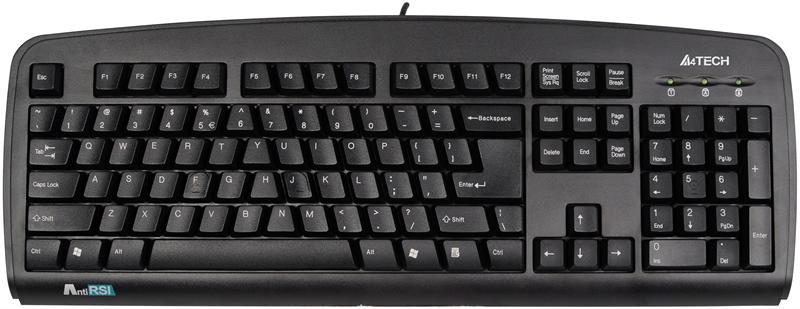
Input device – it is any hardware that sends data or allows data to enter into a computer. A typical will be a keyboard.

Note: remember to buy ergonomic keyboard to lessen the stress in your hands. If you’ll look closely at the keyboard, you might notice that the letters are a bit slanting forming an A-shape. It promotes natural typing position to avoid strain injury in your hands.

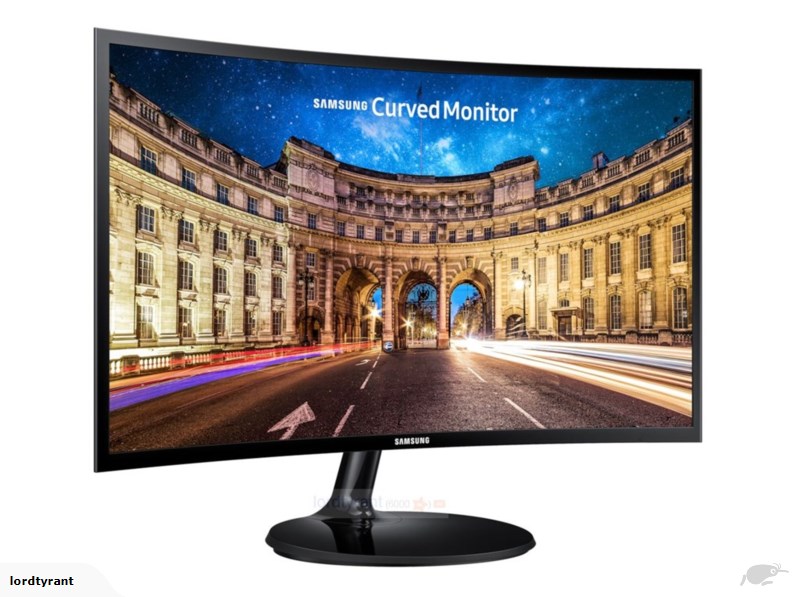
Output device – it is any peripheral that conveys information to people in the form of projection or physical reproduction. A good example is a computer monitor.

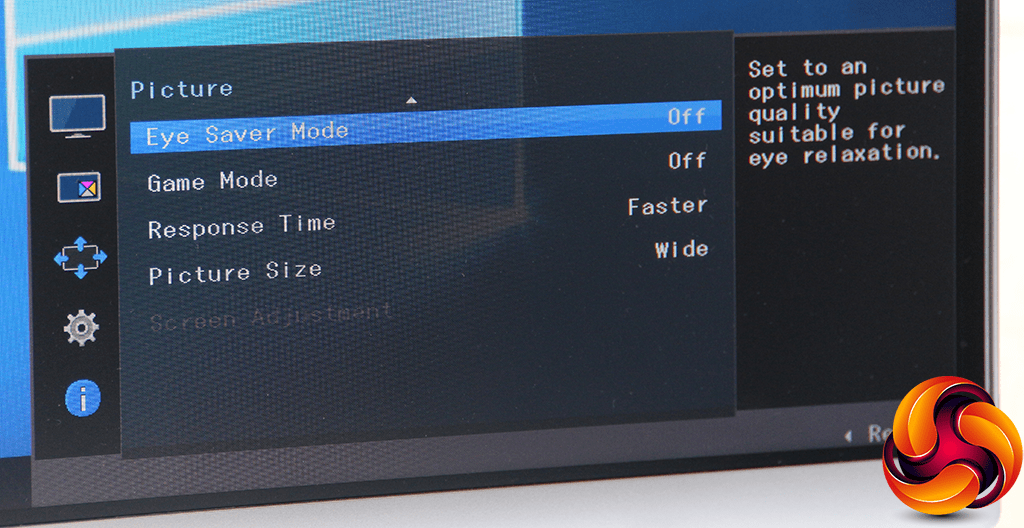
You might consider a monitor with built-in eye saver mode to lessen the strain in your eyes because blue-light emitted by LED has some harmful effects on your eyes.

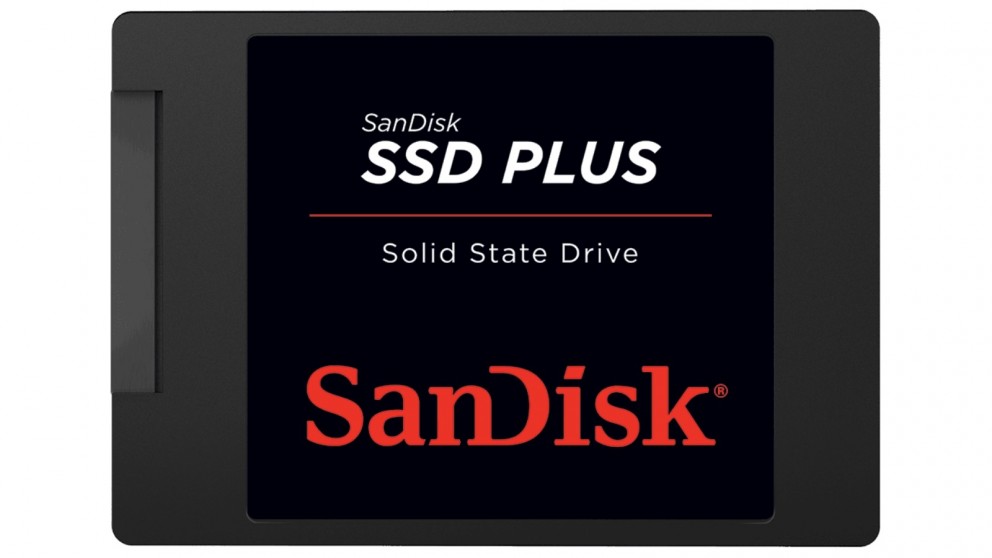
Storage device – it is one of the core components of computing devices that is used for storing data. It records(writes) and retrieves(read) data from storage media. We have primary and secondary type of storage but for now, our example is a Solid State Drive (SSD).

We have HDD and SSD as our secondary storage in our computers. HDD uses mechanical parts which is not present in SSD. As a result SSD is noiseless because of the absence of moving parts and more energy efficient. For more information about their difference, visit SSD vs HDD forum.

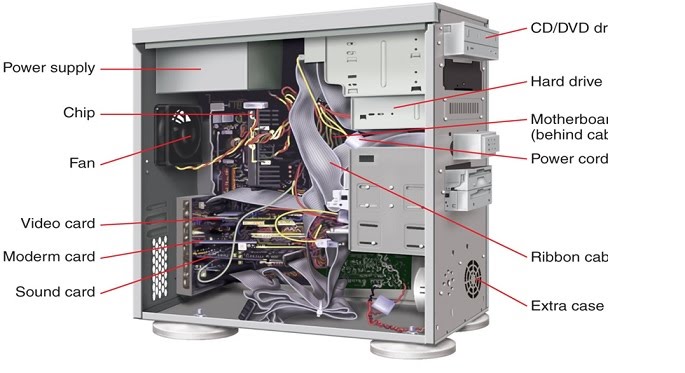
System unit – it is a case that contains computer components. If is often called a pc but that term is incorrect. A pc is just a microprocessor, a small chip.

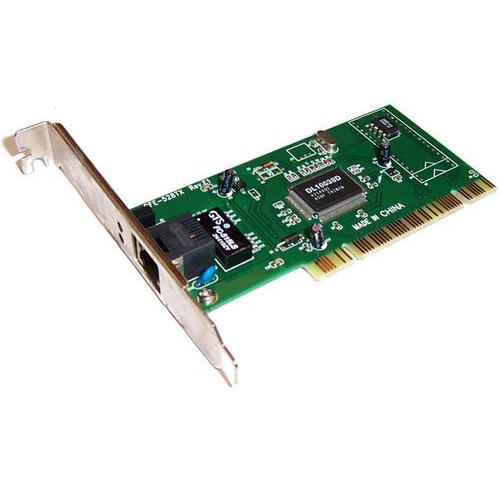
Communication device – is any type of hardware that is capable of transmitting and receiving data.

The picture above is a network interface card. It is used by computers to connect to a network and internet.

Advantages and disadvantages of using computers

Advantages

  • Speed – it helps humans complete task easier.
  • Reliability – it performs according to its specification.
  • Consistency – a computer will always produce the same result based on input.
  • Storage – it’s a low cost solution.
  • Communications – communicate to other computers.

Disadvantages

  • Health Risk – prolonged use of computer might result to hand injuries and decline in vision.
  • Violation of Privacy – data is not completely secured and might get stolen or illegally intercepted.
  • Public Safety – too much exposure of information might have its drawback.
  • Impact on Labor Force – reduction on employment opportunity.
  • Impact on Environment – it causes water contamination and air pollution.

Hardware vs Software

A hardware is simply means the tangible(things you can touch) parts of a computer system. Example is a mouse, keyboard, monitor, system unit, speaker, headset etc.

A software is the intangible(cannot be touched) parts of a computer system. Example is your Operating System (Windows, Mac, Android, iOS) and other applications.

Categories of computers

  • Super computers
  • Mainframes
  • Minicomputers
  • Microcomputers
  • Mobile computers

For detailed explanation visit categories of computers.

Kindly visit Duyor Review and Tutorial Center. Thank you!